 |
AliyunPlayer v7.12.0
Aliyun Player API Reference Manual for iOS Platforms
|
|
AliyunPlayer v7.12.0
Aliyun Player API Reference Manual for iOS Platforms
|
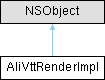
VTT字幕渲染实现类 More...
#include "AliVttSubtitleView.h"
Properties | |
| Class | constClass |
| 全局常量类,所有实例共享 Global constant class shared by all instances | |
| NSMutableArray * | dialogueArr |
| 管理的字幕对话框对象数组 Array of managed subtitle dialogue objects | |
| float | mContentsScale |
| 内容缩放比例 (pixels / contentsScale = points) Content scale ratio (pixels / contentsScale = points) | |
| CALayer * | mLayer |
| 字幕渲染的父图层 Parent layer for subtitle rendering | |
| float | mVideoDisPlayHeightPoint |
| 视频显示区域高度,单位为点(point) Video display area height in points | |
| float | mVideoDisPlayWidthPoint |
| 视频显示区域宽度,单位为点(point) Video display area width in points | |
VTT字幕渲染实现类
核心渲染引擎,负责字幕的解析、样式应用、布局计算和显示。 支持WebVTT标准的各种特性,包括样式、位置、区域等。
| - (void) actualShow: | (AliVttDialogueObj *) | dialogueObj | |
| withContext: | (RenderContext *) | context |
实际显示字幕
| dialogueObj | 字幕对话框对象 |
| context | 渲染上下文 |
| - (void) applyBackgroundColorStyle: | (AliVttDialogueObj *) | dialogueObj | |
| contentAttribute: | (VttContentAttribute *) | contentAttribute |
应用背景颜色样式
| dialogueObj | 字幕对话框对象 |
| contentAttribute | 内容属性 |
| - (void) applyColorStyle: | (NSMutableDictionary *) | attrs | |
| contentAttribute: | (VttContentAttribute *) | contentAttribute |
应用文本颜色样式
| attrs | 属性字典 |
| contentAttribute | 内容属性 |
| - (void) applyDecorationStyle: | (NSMutableDictionary *) | attrs | |
| contentAttribute: | (VttContentAttribute *) | contentAttribute |
应用文本装饰样式(下划线、删除线等)
| attrs | 属性字典 |
| contentAttribute | 内容属性 |
| - (void) applyFontStyle: | (NSMutableDictionary *) | attrs | |
| contentAttribute: | (VttContentAttribute *) | contentAttribute | |
| context: | (RenderContext *) | context |
应用字体样式
| attrs | 属性字典 |
| contentAttribute | 内容属性 |
| context | 渲染上下文 |
| - (void) applyLayerSetting: | (AliVttDialogueObj *) | dialogueObj | |
| styleStr: | (NSAttributedString *) | styleStr |
应用图层设置
| dialogueObj | 字幕对话框对象 |
| styleStr | 样式化文本 |
| - (void) applyStrokeAndShadow: | (NSMutableDictionary *) | attrs | |
| contentAttribute: | (VttContentAttribute *) | contentAttribute | |
| context: | (RenderContext *) | context |
应用描边和阴影效果
| attrs | 属性字典 |
| contentAttribute | 内容属性 |
| context | 渲染上下文 |
| - (CGFloat) calculateMaxTextWidth |
计算最大文本宽度
| - (void) clear |
清除所有字幕显示内容
| - (BOOL) containsFullWidthCharacters: | (NSString *) | string |
检测字符串是否包含全宽字符
| string | 待检测的字符串 |
| - (BOOL) containsUpperGlyphCharacters: | (NSString *) | string |
检测字符串是否包含上标字符
| string | 待检测的字符串 |
| - (NSAttributedString *) createStyledText: | (NSArray< VttContentAttribute * > *) | contentAttributes | |
| dialogueObj: | (AliVttDialogueObj *) | dialogueObj | |
| withContext: | (RenderContext **) | context |
创建样式化的富文本
| contentAttributes | 内容属性数组 |
| dialogueObj | 字幕对话框对象 |
| context | 渲染上下文的双重指针 |
| - (NSAttributedString *) createStyledTextSegment: | (VttContentAttribute *) | contentAttribute | |
| context: | (RenderContext **) | context |
创建单个文本段的样式化字符串
| contentAttribute | 内容属性 |
| context | 渲染上下文的双重指针 |
| - (void) customizeAttribuets: | (NSMutableArray< VttContentAttribute * > *) | contentAttributes | |
| locationAttribute: | (VttLocationAttribute *) | locationAttribute |
自定义内容属性及位置信息(供子类重写)
| contentAttributes | 内容属性数组 |
| locationAttribute | 位置属性对象 |
| - (UIFont *) customizeFont: | (UIFont *) | originalFont | |
| contentAttribute: | (VttContentAttribute *) | contentAttribute | |
| contentText: | (NSString *) | text |
自定义字体(供子类重写)
| originalFont | 原始字体 |
| contentAttribute | 内容属性 |
| text | 文本内容 |
| - (void) customizeParagraphStyle: | (NSMutableParagraphStyle *) | paragraphStyle | |
| withFont: | (UIFont *) | font | |
| contentText: | (NSString *) | text |
自定义段落样式(供子类重写)
| paragraphStyle | 段落样式对象 |
| font | 字体对象 |
| text | 文本内容 |
| - (AliVttDialogueObj *) findDialogueObjByIdx: | (NSInteger) | index |
根据索引查找字幕对话框对象
| index | 字幕索引 |
| - (AliVttDialogueObj *) findIdleDialogueObj |
查找空闲的字幕对话框对象
| - (UIFont *) generateFontWithName: | (NSString *) | fontName | |
| fontSize: | (CGFloat) | fontSize | |
| isBold: | (BOOL) | isBold | |
| isItalic: | (BOOL) | isItalic |
生成指定样式的字体
| fontName | 字体名称 |
| fontSize | 字体大小 |
| isBold | 是否粗体 |
| isItalic | 是否斜体 |
| - (void) getActualTextPositions: | (VttLocationAttribute *) | locationAttribute | |
| withContext: | (RenderContext *) | context |
计算字幕显示位置
| locationAttribute | 位置属性 |
| context | 渲染上下文 |
| - (void) getActualTextSize: | (NSAttributedString *) | styleStr | |
| dialogue: | (AliVttDialogueObj *) | dialogueObj | |
| withContext: | (RenderContext *) | context |
计算实际文本尺寸
| styleStr | 样式化的文本字符串 |
| dialogueObj | 字幕对话框对象 |
| context | 渲染上下文 |
| - (UIColor *) getColorFromValue: | (NSInteger) | value |
从整数值创建UIColor对象
| value | ARGB格式的颜色值 |
| - (void) getParentViewSize: | (CGFloat *) | w | |
| h: | (CGFloat *) | h |
获取父视图尺寸
| w | 宽度指针,用于返回宽度值 |
| h | 高度指针,用于返回高度值 |
| - (CGSize) getSizeFromStr: | (NSMutableAttributedString *) | attrStr | |
| withMaxtextWidth: | (CGFloat) | maxTextWidth |
计算富文本的显示尺寸
| attrStr | 富文本字符串 |
| maxTextWidth | 最大文本宽度 |
| - (nullable AliWebVttHeader *) getVttHeader |
获取VTT头部信息
| - (void) hideDialogue: | (NSString *) | data | |
| atIndex: | (int) | index |
隐藏指定索引的字幕
| data | 字幕数据字符串 |
| index | 字幕索引 |
| - (void) initialDialogueObj: | (AliVttDialogueObj **) | obj | |
| index: | (NSUInteger) | index |
初始化字幕对话框对象
| obj | 字幕对话框对象的双重指针,用于返回创建或复用的对象 |
| index | 字幕索引 |
| - (CGPoint) maybeApplyDefaultPosition: | (CGPoint) | locationPoint | |
| withContext: | (RenderContext *) | context |
应用默认位置规则
| locationPoint | 位置属性计算的坐标点 |
| context | 渲染上下文 |
| - (CGFloat) maybeForcebeCenter: | (CGFloat) | x | |
| withContext: | (RenderContext *) | context |
强制居中对齐(当位置超出范围时)
| x | X坐标 |
| context | 渲染上下文 |
| - (CGFloat) maybeUpperThanBase: | (CGFloat) | y | |
| withContext: | (RenderContext *) | context |
确保位置在基准线之上
| y | Y坐标 |
| context | 渲染上下文 |
| - (RenderContext *) prepareRenderContext |
准备渲染上下文
| - (CGPoint) processAttributePosition: | (VttLocationAttribute *) | locationAttribute | |
| withContext: | (RenderContext *) | context |
处理位置属性,计算基础坐标
| locationAttribute | 位置属性 |
| context | 渲染上下文 |
| - (CGFloat) processXPositon: | (VttLocationAttribute *) | locationAttribute | |
| withContext: | (RenderContext *) | context |
处理X方向位置
| locationAttribute | 位置属性 |
| context | 渲染上下文 |
| - (CGFloat) processYPosition: | (VttLocationAttribute *) | locationAttribute | |
| withContext: | (RenderContext *) | context |
处理Y方向位置
| locationAttribute | 位置属性 |
| context | 渲染上下文 |
| - (void) renderSubtitleContent: | (AliVttDialogueObj *) | dialogueObj | |
| contentAttributes: | (NSArray< VttContentAttribute * > *) | contentAttributes | |
| locationAttribute: | (VttLocationAttribute *) | locationAttribute |
渲染字幕内容的主要方法
| dialogueObj | 字幕对话框对象 |
| contentAttributes | 内容属性数组 |
| locationAttribute | 位置属性 |
| - (void) safelyRemoveObserverIfNeeded |
安全移除观察者
| - (void) setup: | (CALayer *) | view |
初始化渲染器,设置父图层
| view | 用于显示字幕的CALayer对象 |
| - (void) setVttHeader: | (NSString *) | header |
设置VTT头部信息
| header | VTT头部字符串,包含样式和区域定义 |
| - (void) showDialogue: | (NSString *) | data | |
| atIndex: | (int) | index |
显示指定索引的字幕
| data | 字幕数据字符串 |
| index | 字幕索引 |
| - (RenderContext *) updateRenderContext: | (RenderContext *) | context | |
| withSubStr: | (NSAttributedString *) | subAttributedString |
更新渲染上下文
| context | 渲染上下文 |
| subAttributedString | 子文本字符串 |
| - (void) updateVideoDisPlay: | (int) | videoWidth | |
| height: | (int) | videoHeight | |
| scaleMode: | (AVPScalingMode) | mode |
更新视频显示信息
| videoWidth | 视频宽度,单位为像素 |
| videoHeight | 视频高度,单位为像素 |
| mode | 视频缩放模式 |
|
readwritenonatomicassign |
全局常量类,所有实例共享 Global constant class shared by all instances
|
readwritenonatomicstrong |
管理的字幕对话框对象数组 Array of managed subtitle dialogue objects
|
readwritenonatomicassign |
内容缩放比例 (pixels / contentsScale = points) Content scale ratio (pixels / contentsScale = points)
|
readwritenonatomicstrong |
字幕渲染的父图层 Parent layer for subtitle rendering
|
readwritenonatomicassign |
视频显示区域高度,单位为点(point) Video display area height in points
|
readwritenonatomicassign |
视频显示区域宽度,单位为点(point) Video display area width in points
 1.13.2